Tasty Fingers Food App
A taste of Africa in Abroad
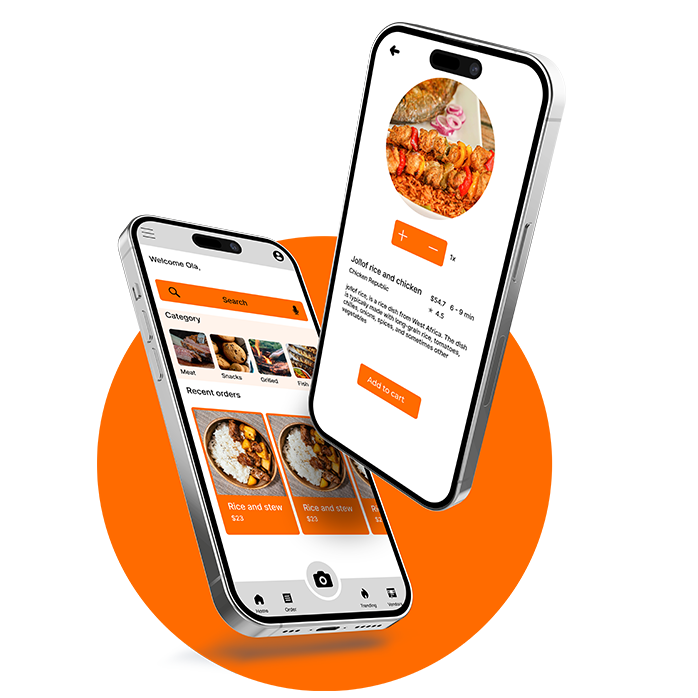
A taste of Africa in Abroad
Design Highlights
Food app is an online food platform, a web app that allow it's users to order their prefered food from the comfort of their house, office or basically anywhere.
Not having enough time to prepare good and healthy food. Eliminating the stress of preparing meal
Create a platform that will cater for the need of food by people by delivery their food choice to them.
Three months
User Research
Wireframing
Prototyping
testing
UX Designer
UX Researcher
Figma
Power Point
Adobe Creative Suite
Slack
Google form
User research
User Personas
Problem Statements
User Journey Maps
Sitemap
Paper wireframes
Digital wireframes
Low-Fidelity Prototype
Mockups
High Fidelity prototype
Accessibilty
Takeaways
Next steps
Research
I conducted a research on the users to understand the stress users using food apps experience when ordering food and also what emotions do these users get when ordering food? At the end of the research, I was able to identify some paint point like stress encounter when preparing meal and their time constraint making it hard to create time for cooking. These information gotten from these user research help me better understand the users and how to create a product that help with their need.
User research
Some users see cooking as a work and will be glad to have a product that eliminate such work but wouldn't stop them from having their favourite meal
Another challeges faced by som users is not having enough time to prepare their meal due to their busy work life. One of the ways of catering for the need of these users is by adding a reminder and or schedule feature to the app.
Ability of users to easily use the food app efficiently. One of the way of overcoing this pain is by providing text, voice and image search feature on the food app.
Persona
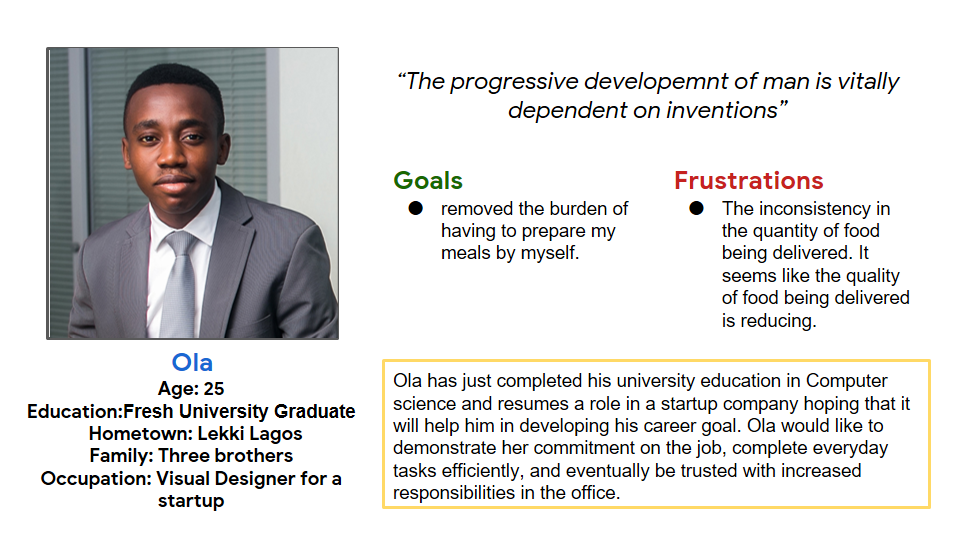
Ola is a junior visual designer who needs to relieve himself from the burden of food preparation to increase his work productivity.
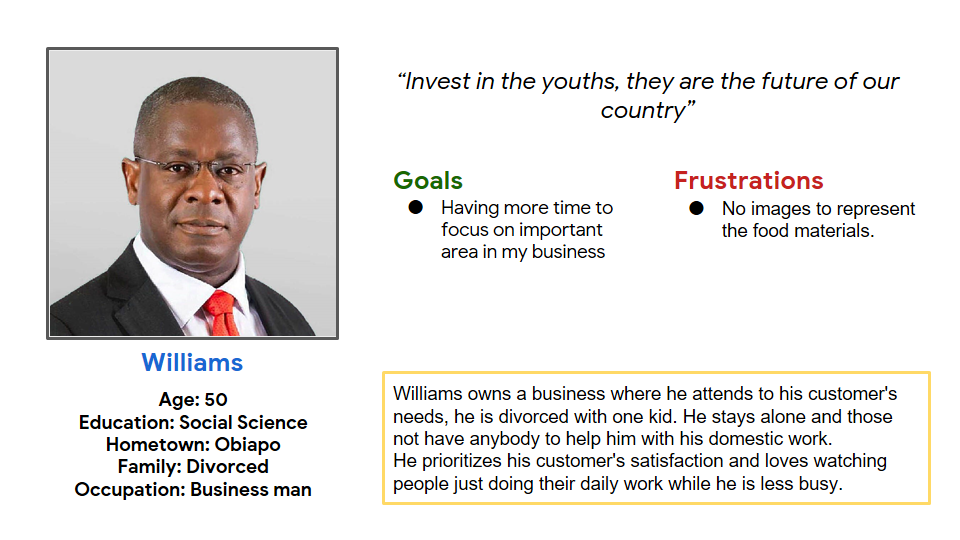
Williams is a divorced Business man who does not have time to prepare his meal because of his business
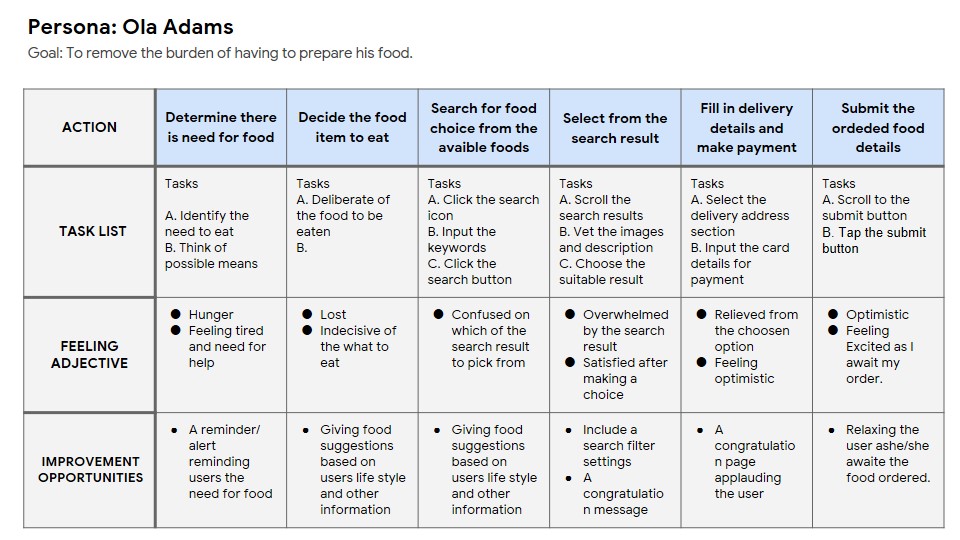
The goal is to understand the process involve in removing the burden of having to prepare food
Ideation
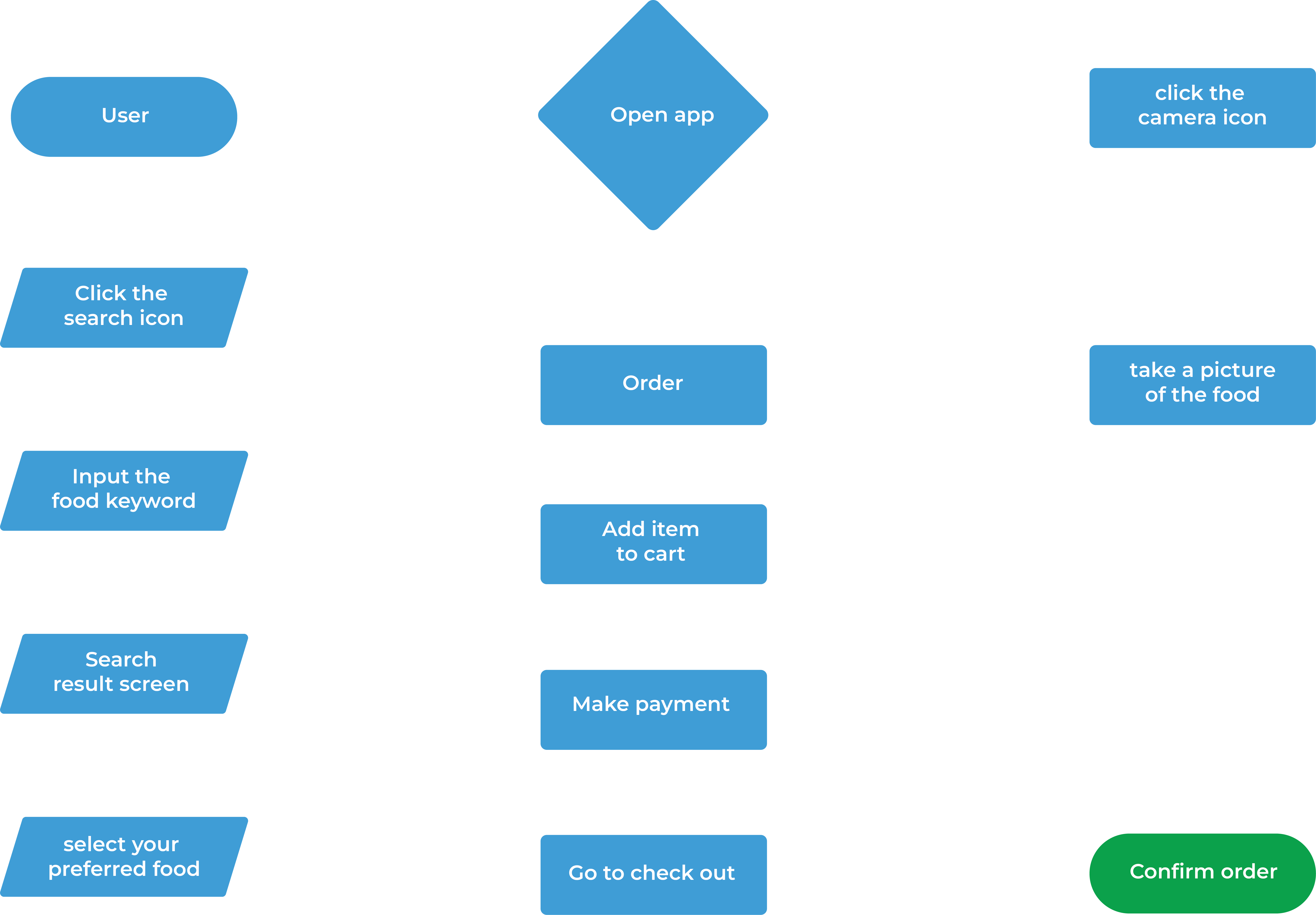
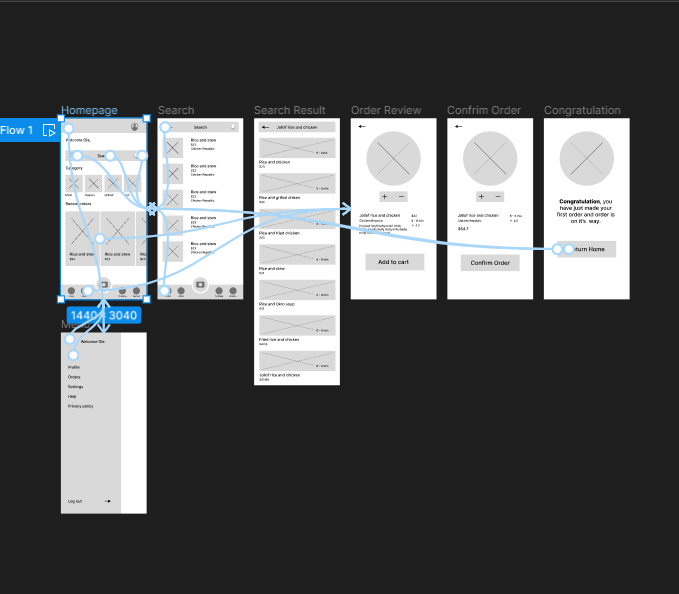
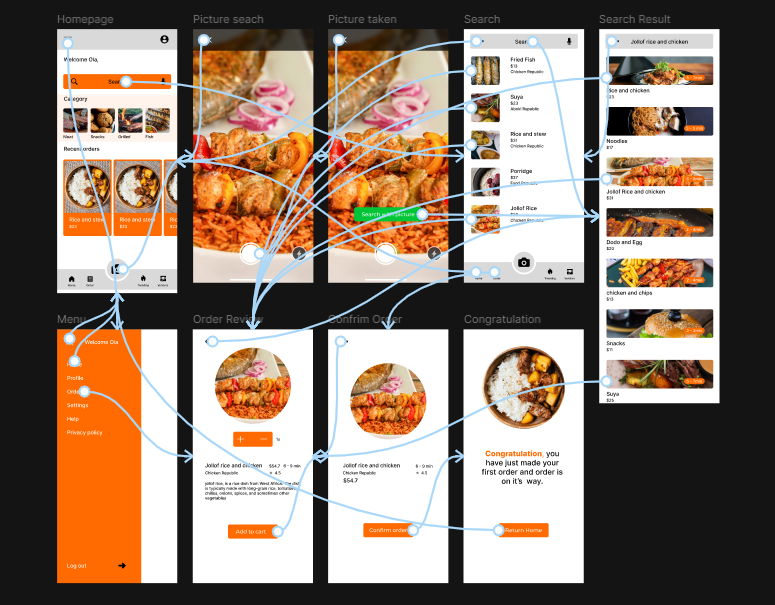
The User flow of the Food app, it's goal is to order food from online food vendors, below are the actions, screens, and decisions that will be made in the process.
Ideation
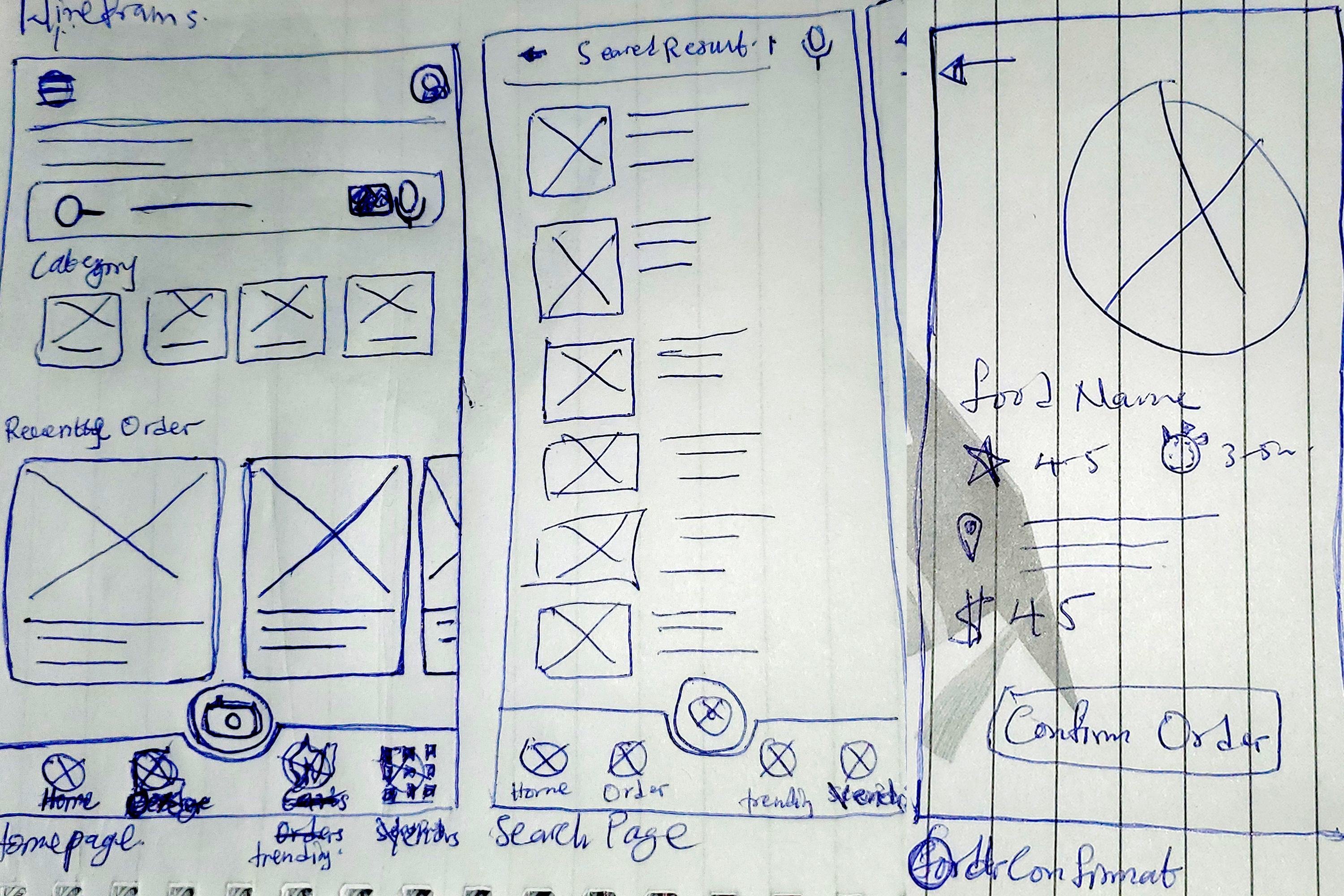
The goal is create a user friendly interface and experience for the users
Ideation
The goal is to create a user-friendly interface and experience for the users
Ideation
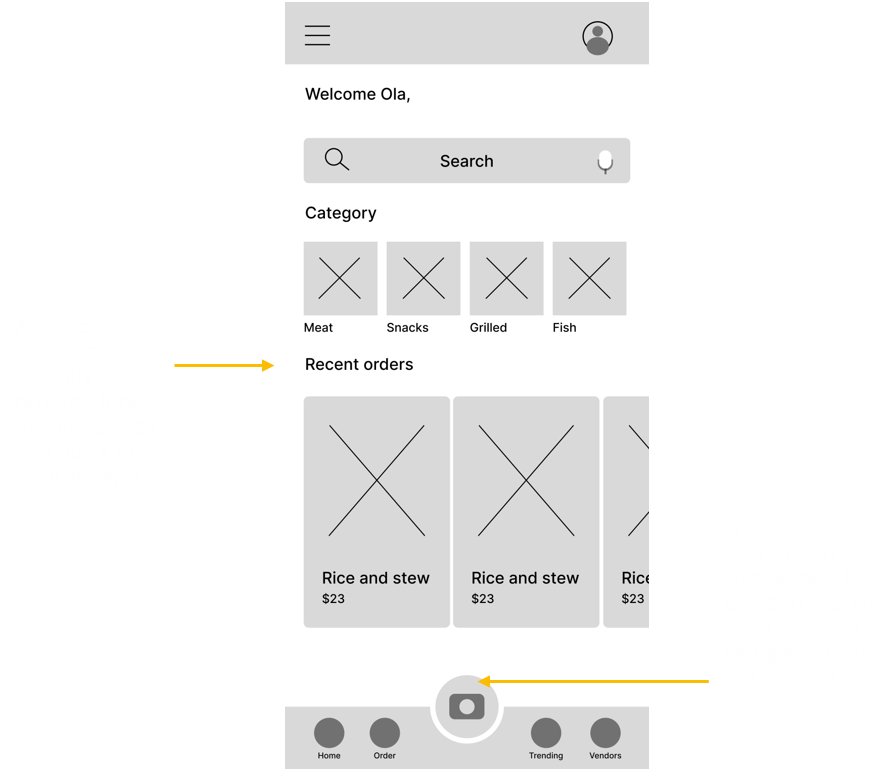
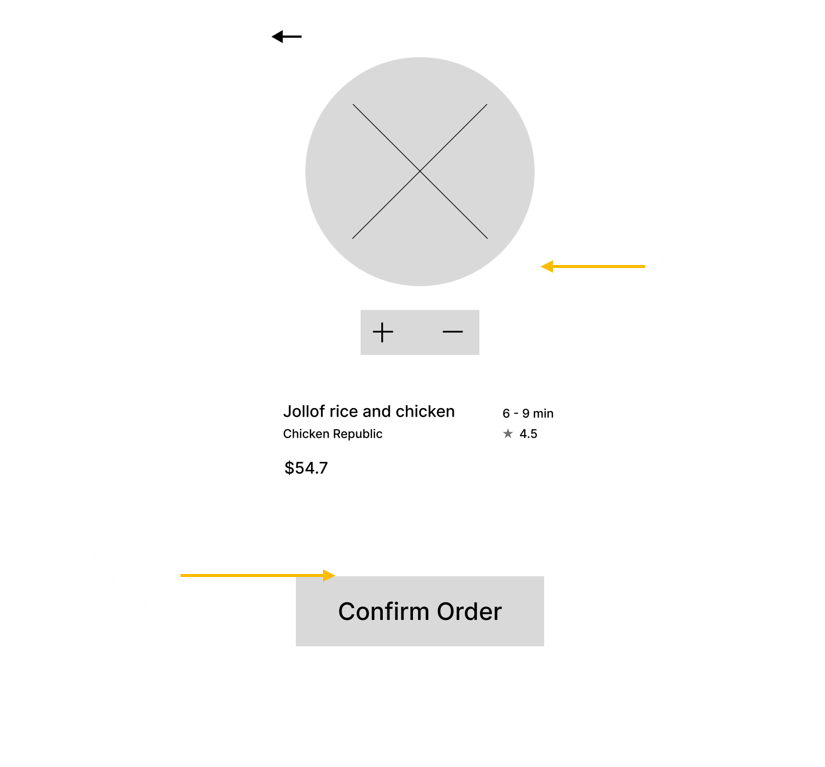
To create a low-fidelity prototype, I connected all of the screens involved in the primary user flow of ordering a food.At this point, I received feedback as insights from my usability study on my designs about things like the placement of buttons and page organization. I made sure to listen to their feedback, and I implemented several suggestions in places that addressed user pain points.
I am creating a new app to help people order food online. I need to find out if the main user experience, in ordering food online, is easy for users to complete. After the research, I was able to discover that some of the challenges faced by the users are:
An estimated time of when food will be ready
Inability to easily find food items
Uncertainty of the quality of food being produced by a restaurant.
Easy access to local food/ meal
Design
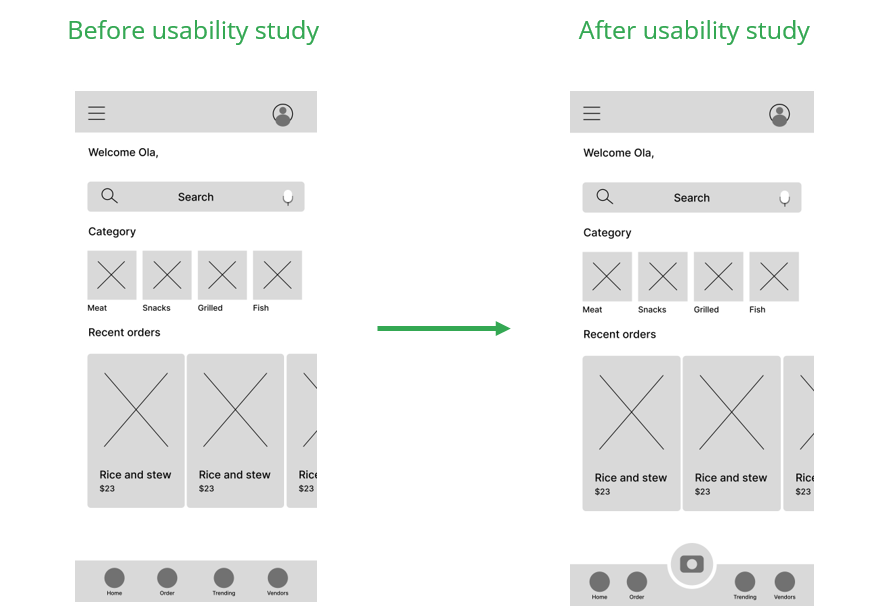
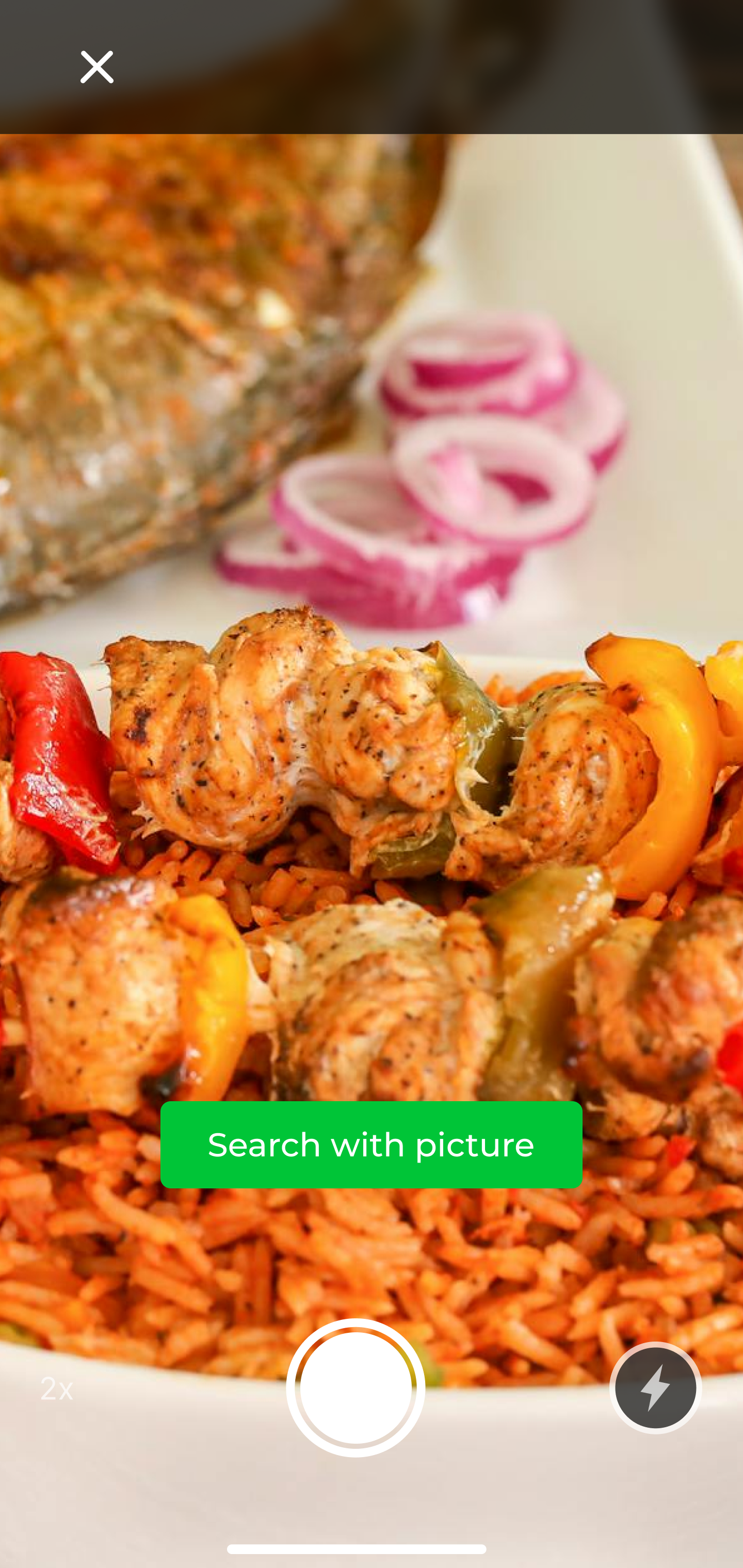
My goal is to build an easily accessible food app. As a way of archiving this goal, the insights obtained from the observation and findings led to the addition of a picture search feature on the app by adding the camera icon.
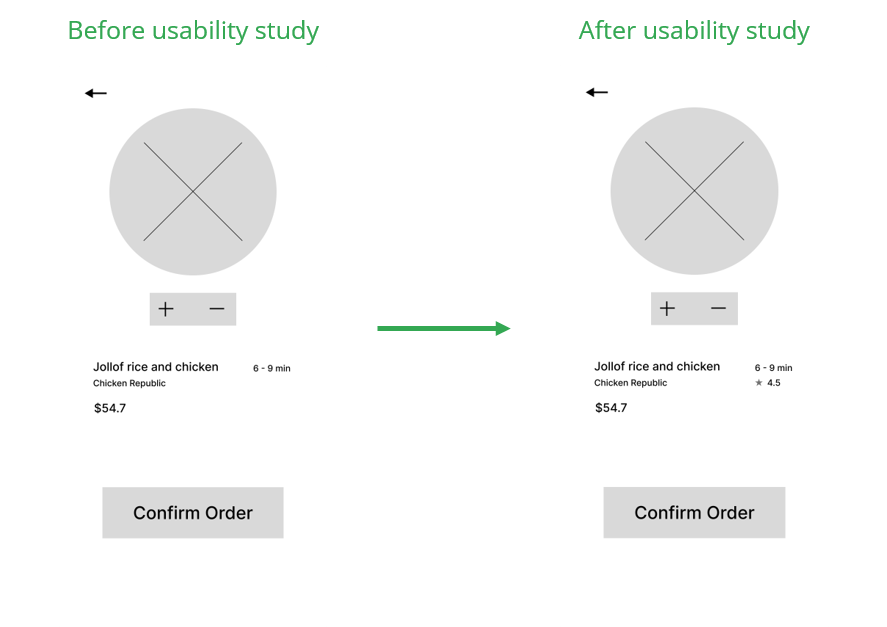
Another goal is to make it easy for users to know the quality of the food produced by a food vendor/ restaurant on the food app, this is achieved by adding a rating feature on the app.
Design
Design
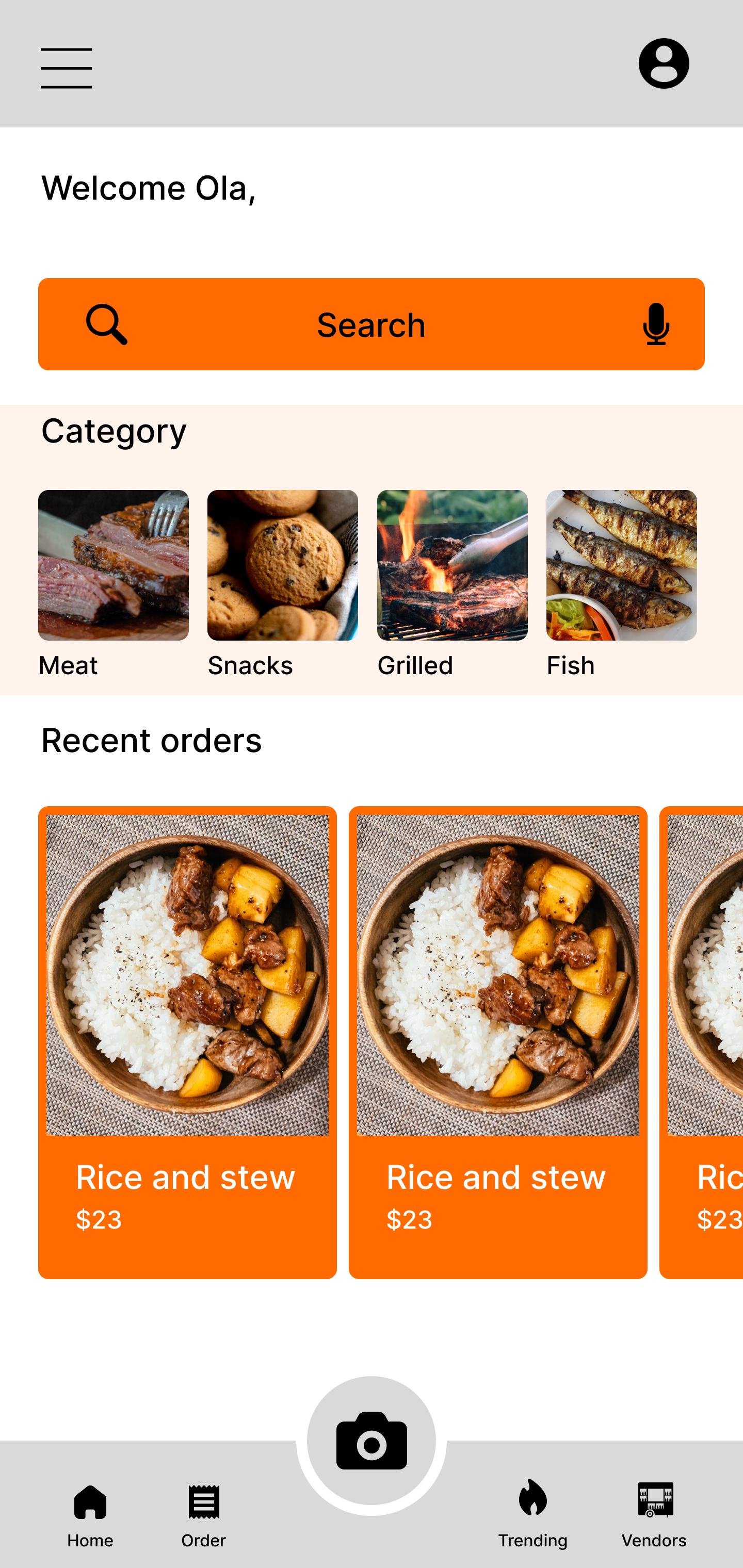
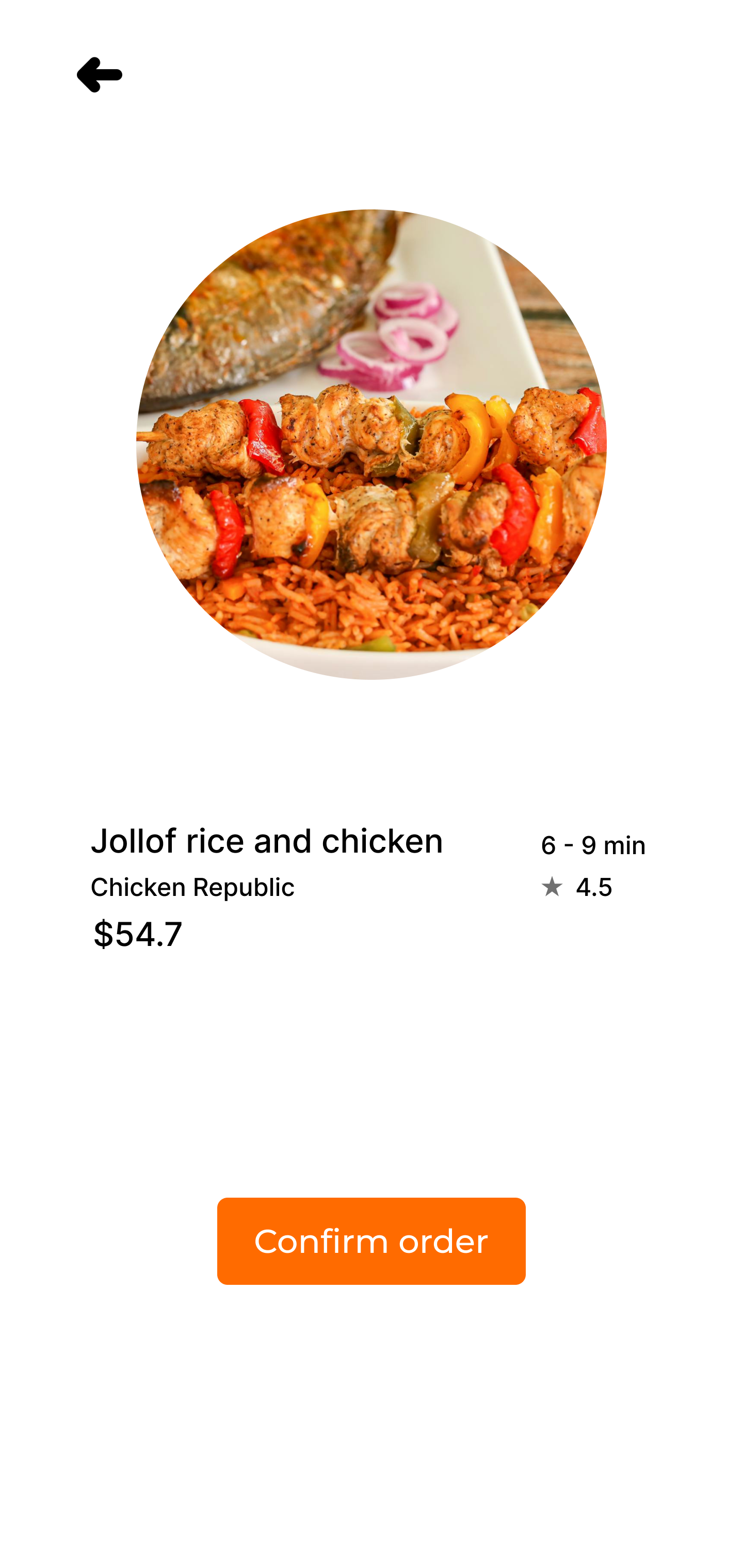
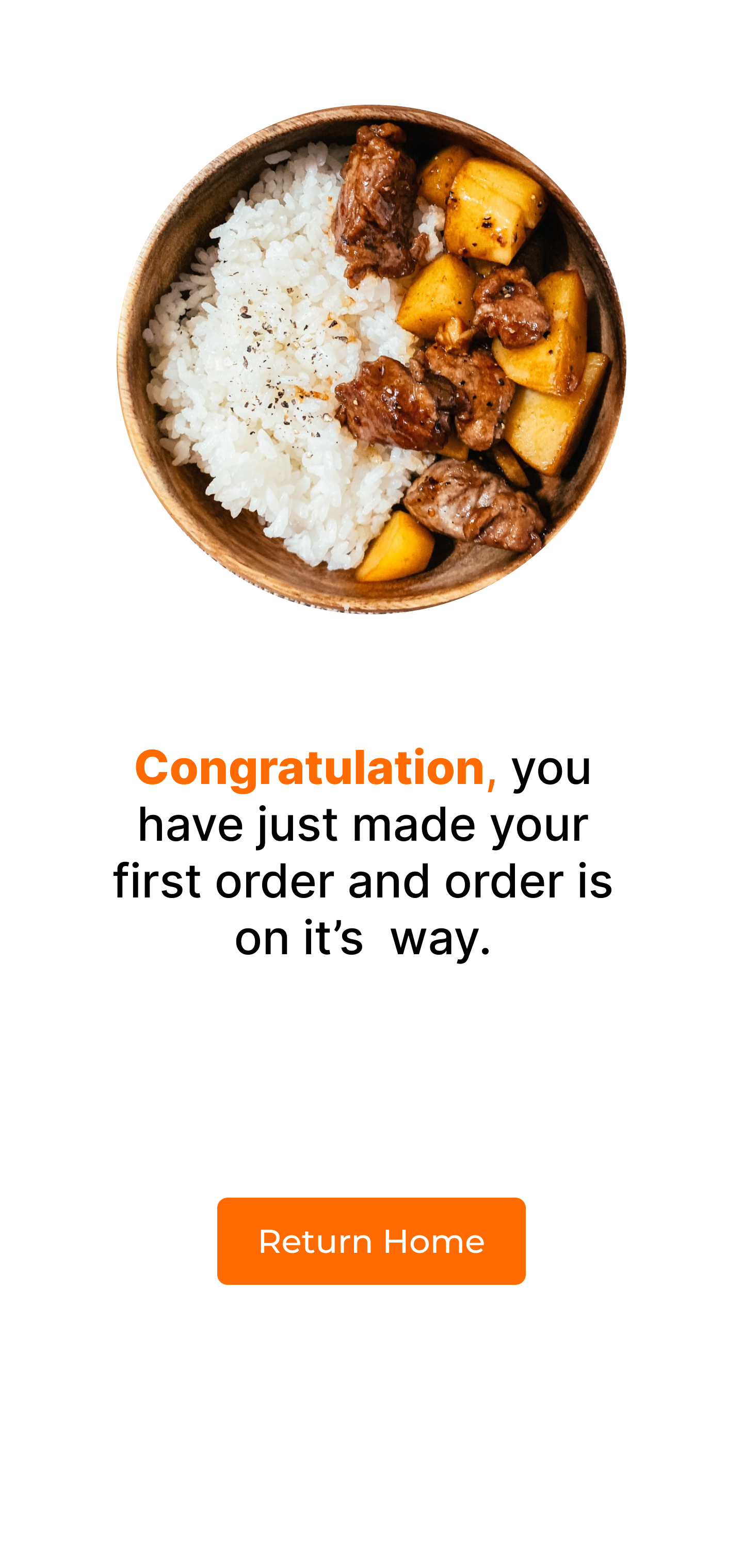
My hi-fi prototype followed the same user flow as the lo-fi prototype and included the design changes made after the usability study, as well as several changes obtained as an insight from the usability study.
Design
An accessibility consideration applied is the camera feature allowing non-learned people search their food choice using pictures.
Another accessibility consideration applied is adding enough white space around the buttons making it easy to click the user
Reflection
Although my app has not yet been fully launched yet, the feedback from my testers has been encouraging. One of the testers said; “your food app is very easy to use and has features that no food app in the market has, making it very innovative”.
When solving your user's problem intuitiveness and innovation are the major driving forces of a good product.